
Last updated October 20, 2026 · R36 Ultra Editorial Team
You find out which panel your R36S has from the stock microSD card. Upload the .dtb file from its BOOT partition to a community DTB identification tool, or read the motherboard ID printed on the board and match it to a firmware’s support table.
The panel decides which DTB (device tree) file custom firmware needs. Pick the wrong one and you get a black or garbled screen, not a broken console.
Image the stock card before you flash anything, because those original DTB files are the most reliable clue to your panel. Then flash your chosen firmware to a separate card and select the matching panel or board profile.
As an Amazon Associate we earn from qualifying purchases.
Quick answer
- The R36S has several screen panels. The Handhelds Wiki troubleshooting page says there are “at least 5 different screen versions”, and a wrong
.dtbfile in the BOOT partition is the cause it lists for the classic black screen. - Your stock card already holds the answer. AeolusUX’s “Which Screen Do I Have?” tool reads
rk3326-r35s-linux.dtborgameconsole-r36s.dtband reports the original screen or Panel 1, 2, 3 or 4. That page now points to the newer ArkOS4Clone tool. - Some boot-partition files mean you have a clone. The Handhelds Wiki says
rk3326-evb-lp3-v12-linux.dtb,rf3536k4ka.dtborrf3536k3ka.dtbpoint to an EmuELEC clone, which standard ArkOS does not support. - Newer firmware sorts by motherboard ID, not just panel. The dArkOSRE-R36 support table lists boards such as R36S-V12 2023-08-18 Panel 4, R36S-V21 2024-12-18 and G80CA-MB V1.2 Panel 8.
- Back up first and flash a second card. Retro Handhelds and TechTactician both recommend a full image of the stock card, not just a copy of the visible files.
New to the R36 family? Our explainer on what an R36 handheld is covers the R36S, R36 Ultra and look-alikes. For the full flashing walkthrough, see the R36S custom firmware guide.
-
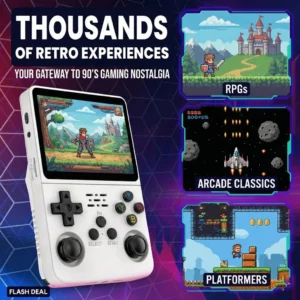
Compact Handhelds, Handheld Game Console
Amazon price: $32.89 as of Oct 27 · updated daily
Check Price → -
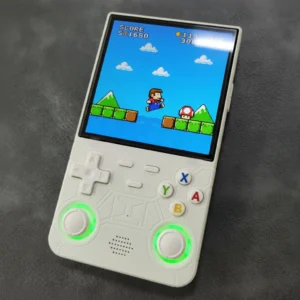
4-inch Handhelds, Handheld Game Console
Amazon price: $69.99 as of Oct 27 · updated daily
Check Price →
Why does the R36S panel matter for custom firmware?
A DTB (device tree blob) is a small file on the BOOT partition. It tells the Linux kernel what hardware the console has, including the exact screen panel and its timings. A firmware image cannot detect the panel by itself, so it relies on the DTB you give it.
The Handhelds Wiki’s black-screen entry gives the cause as wrong .dtb files in the BOOT partition. Its fix for community ArkOS is to replace rk3326-r35s-linux.dtb with the one from your original card before first boot.
Panel and board variants also change audio, LEDs and controls. The dArkOSRE beta notes describe headphone detection that differs across DTBs.
How do I check which panel my R36S has?
There are three ways to identify it. Use them in this order: the first is the most reliable and needs no tools.
1. Read the DTB file on the stock card
Put the original card in a computer and open the small BOOT partition. The Handhelds Wiki calls rk3326-r35s-linux.dtb (or rk3326-rg351mp-linux.dtb) “the most important file” on that partition.
Upload it to the ArkOS4Clone DTB Identification Tool (r36s.dpdns.org/dtbTools.html). The tool says it compares MD5 hashes and panel parameters against known configurations, and that it supports ArkOS4Clone only.
The older AeolusUX “Which Screen Do I Have?” page is now marked as deprecated, but its code still lists what it recognizes: the original R36S screen, Panel 1, 2, 3 and 4, and the original screen without an FN button.
2. Look for clone file names
If the BOOT partition has no rk3326-r35s-linux.dtb but does have rk3326-evb-lp3-v12-linux.dtb, the AeolusUX tool says “you have a clone.” TechTactician adds rf3536k4ka.dtb and rf3536k3ka.dtb to that list, plus the case where there are no .dtb files at all. It also says an EMUELEC or EEROMS partition in place of EASYROMS is a clone sign.
3. Read the motherboard ID
dArkOSRE-R36 lists support by motherboard ID: a board name, a date and sometimes a batch or panel number. The Handhelds Wiki PCB Revisions page has photos of board markings such as R36S-V12 2023-08-18, R36S-V21 2024-12-18 and Y3506_V03_20241210. Reading the ID means opening the shell, so only do it if you are comfortable with that.
If your board isn’t in the list, the dArkOSRE README asks you to open an issue with the motherboard ID and a zip of your original .dtb files and boot.ini. That’s one more reason to keep the stock card intact.
R36S panel and board types: symptoms and what to do
The table below only uses what the named projects publish. “Not listed” means we found no entry for it in that source, not that it can’t work.
| Panel / board | How it is identified | Typical symptom with the wrong file | What to do |
|---|---|---|---|
| Original R36S screen (“Panel 0”, V1) | Stock rk3326-r35s-linux.dtb; AeolusUX tool reports “original R36S Screen” | Black screen after flashing (Handhelds Wiki) | ArkOS-R3XS Panel Picker R1 + A; ArkOS4Clone “R36s Panel 0”; dArkOSRE “R36S-V12 2023-08-18 Panel 0” (marked completed) |
| Panel 1, 2, 3 | AeolusUX tool reports “Panel 1/2/3” | Black screen (Handhelds Wiki) | ArkOS-R3XS Panel Picker R1 + Up / Right / Down; ArkOS4Clone “R36s Panel 1–3”; ROCKNIX overlays r36s-panel1 to r36s-panel3 |
| Panel 4 (V5) | AeolusUX tool reports “Panel 4” | Black screen; on AmberELEC, possible missing sound (Handhelds Wiki) | ArkOS-R3XS R1 + Left; ArkOS4Clone “Panel 4 Type 1” or “Type 2”; dArkOSRE “R36S-V12 Panel 4” (completed); ROCKNIX r36s-panel4; P4ELEC (AmberELEC build for Panel 4) |
| Newer genuine boards (R36S-V21, V22, V30, Y02, R36XX) | Motherboard ID, sometimes with a batch number (2550, 2551, 2552) | Not documented per board | dArkOSRE lists each one separately, mostly as beta; pick the exact ID |
| Soy Sauce boards (Y3506) | Motherboard ID; the Handhelds Wiki notes a mirrored chip layout | Not documented per board | dArkOSRE “soysauce” profiles; ArkOS4Clone “SoySauce Panel 1–5” |
| G80C / G80CA / G80D clones (Panel 8 / 9) | Motherboard ID plus panel number | Blank screen on first boot means “likely” Panel 9 (dArkOSRE) | dArkOSRE: Panel 8 uses the standard DTB; Panel 9 needs a DTB swap |
| EmuELEC clones (K36-type) | rk3326-evb-lp3-v12-linux.dtb, rf3536k4ka.dtb or rf3536k3ka.dtb; one RAM chip | Standard ArkOS: black screen and flashing red light (Handhelds Wiki) | Clone-specific images only: ArkOS4Clone clone types, the ROCKNIX “b” build, or AeolusUX ArkOS-K36. Not listed: the RK3128 variant with internal storage |
Sources: Handhelds Wiki (R36S Problems and Troubleshooting, R36S Clones, PCB Revisions), AeolusUX ArkOS-R3XS README and screen tool, ArkOS4Clone wiki, dArkOSRE-R36 README and wiki, ROCKNIX R35S/R36S page, P4ELEC repository.
Why is my R36S screen black after flashing ArkOS?
A black screen is usually a profile problem, and a few other causes look the same. Work through these in order:
- You may just need to wait. dArkOSRE says first boot takes “around 2 to 3 minutes”, while the ArkOS-R3XS README warns its first setup can take up to 10 minutes. The Handhelds Wiki step-by-step fix says to leave the console on for 10 minutes even if the screen stays black.
- Wrong DTB or wrong model choice. TechTactician says the most common cause is choosing the wrong console version in
SELECT MODEL.bat. The fix is to reflash and pick the profile that matches your original DTB. - Black screen plus a flashing red light after standard ArkOS points to an EmuELEC clone, according to the Handhelds Wiki.
- White lines on black mean the battery is empty, according to the Handhelds Wiki. Charge it and try again.
- “booting fail! check kernel and dtb images!” is listed by the Handhelds Wiki as an SD card problem. “No gamepads detected” is listed as a wrong
.dtborboot.ini.
Some unusual boards stay dark on every profile.
GitHub issue #293 on ArkOS-R3XS describes an “R36S Clone, board version V20, manufacture date 2025-05-18”. It showed the splash screen and then a black screen on every ArkOS4Clone clone type the owner tried.
The issue was closed without a fix, although dArkOSRE now lists R36S-V20 2025-05-18 boards (batches 2541, 2548 and 2549) as clone profiles in beta.
What if the screen is garbled, upside down or the wrong color?
TechTactician says a screen that is black or shows “visual artifacts” most often means the wrong console version was picked in SELECT MODEL.bat. The dArkOSRE wiki’s troubleshooting table lists “Fuzzy lines / Wrong display”. Its fix: power off, disconnect the battery for 10 minutes, then reflash with the correct DTB (Panel 8 or 9).
We found no primary source that ties an upside-down or color-shifted picture to a specific R36S panel, so that link is not confirmed. Treat it like any other display mismatch: reflash, check your original DTB and choose only the exactly matching profile.
Refresh rate is part of the panel profile too. ROCKNIX says its panel4 overlay includes 50, 60 and 75 Hz modes, while its other panel files “mostly have just basic refresh rate (77.378 FPS)”. The dArkOSRE 04262026 beta notes list a 60Hz refresh fix for three R36S-V21 batches.
What is the safe workflow for changing R36S firmware?
- Image the stock card. Retro Handhelds recommends Win32DiskImager with “Read Only Allocated Partitions” enabled. TechTactician says “Do not just copy the visible files and call it done”, and to cancel any Windows prompt to format a partition. A spare card such as a SanDisk 128GB microSD card lets the original stay untouched. Our SD card backup guide walks through the imaging step.
- Copy the BOOT files and identify the panel. Keep the
.dtbfiles andboot.iniin a folder, then use the DTB tool, the file names or the motherboard ID as described above. - Pick a firmware that lists your hardware. TechTactician’s rule is dArkOSRE for exact supported matches, stable ArkOS4Clone for explicitly supported unofficial devices, and ArkOS-R3XS only as a legacy fallback.
- Flash a separate card and select the profile. dArkOSRE has Windows users run
SELECT MODELin the BOOT partition. Mac and Linux users delete the root.dtbfiles and copy in the files fromdtb/. ArkOS4Clone uses/ dtb_selector.exe, or a manual copy ofboot.iniplus two.dtbfiles fromconsoles/. ROCKNIX uses a renamed overlay at/ overlays/mipi-panel.dtbo. - Boot cleanly. dArkOSRE says to keep the charger unplugged during first boot and remove the second SD card. It also recommends against Balena Etcher and suggests checking the image’s SHA1 hash.
Our dArkOS for R36S guide covers the dArkOS side in more detail. Once the screen works, the Wi-Fi and PortMaster guide picks up from there.
Should you cycle through panel profiles until one works?
Sources disagree.
The Handhelds Wiki’s step-by-step fix says that if your stock card is gone, try one panel folder from the R36S-DTB repository at a time and “start with newer (higher number) panels and work backwards”. ROCKNIX also says “just try every option until it works”.
TechTactician says the opposite, “Do not cycle through random device versions”, and advises identifying your original DTB first.
The safe middle ground is to identify the panel first whenever you still have the stock card. Only fall back to trial and error on a separate card, with your backup image kept safe.
Which firmware projects are current in 2026?
- dArkOSRE-R36 (southoz): latest full GitHub release tagged 03082026, with newer boards in beta.
- ArkOS4Clone (lcdyk0517): latest GitHub release 20261008, with ArkOS4Clone and dArkOS4Clone images.
- ArkOS-R3XS (AeolusUX) and the original christianhaitian/arkos are archived. The R3XS README says “dArkOS has replaced ArkOS”.
- ROCKNIX uses panel overlays. AmberELEC works with a renamed DTB (Handhelds Wiki), and P4ELEC is an AmberELEC build for Panel 4.
Clone or original: why it changes the answer
Everything above assumes an RK3326 R36S or a clone that a project lists. The Handhelds Wiki describes EmuELEC clones that “are not able to run the standard ArkOS or AmberELEC” firmware. It also describes an internal-storage variant with a weaker RK3128 chip.
Before you buy or flash, use our checklists in R36S vs clones: how to spot a fake and R36 Ultra original vs clone. The R36S is a 3.5-inch, 640×480, RK3326 handheld with no built-in Wi-Fi.
Does the R36 Ultra use the same panel files?
No. The R36 Ultra has a 4.0-inch 720×720 screen (see the R36 Ultra specs), so it needs its own profile. dArkOSRE lists “GR36S-MB V1.4-2025-07-30 R36 Ultra” as a clone-type board in beta, and its 04262026 beta notes mention “R36 ultra Support (No LED Joystick Support)”.
ArkOS4Clone lists separate R36Ultra and R36UltraX profiles. Never flash an R36S image onto it. See the R36 Ultra firmware guide and the R36 Ultra product page.
Still stuck after the right profile? Our troubleshooting guide covers SD card, battery and boot problems that look like panel faults. Load only games and BIOS files you legally own.
Sources
- dArkOSRE-R36 README and support table (southoz, GitHub)
- dArkOSRE-R36 wiki: Firmware Installation
- dArkOSRE-R36 wiki: Home and troubleshooting
- dArkOSRE-R36 wiki: Beta Testing notes
- ArkOS4Clone wiki: supported devices
- ArkOS4Clone wiki: Installation
- ArkOS4Clone DTB Identification Tool
- AeolusUX: Which Screen Do I Have? (deprecated tool)
- AeolusUX ArkOS-R3XS README (archived)
- AeolusUX R36S-DTB repository
- ArkOS-R3XS issue #293: V20 2025-05-18 clone black screen
- ROCKNIX: Game Console R35S/R36S
- ROCKNIX panel overlay files (panel_overlays release)
- P4ELEC: AmberELEC build for Panel 4 R36S
- Handhelds Wiki: R36S Problems and Troubleshooting
- Handhelds Wiki: R36S Clones
- Handhelds Wiki: R36S PCB Revisions
- Handhelds Wiki: R36S Guides (backup your stock SD card)
- Handhelds Wiki: V1 Original Screen vs V5 Panel 4
- Retro Handhelds: R36S setup guide
- TechTactician: R36S Setup Guide (2026)
Frequently asked questions
How do I know which panel my R36S has?
Open the BOOT partition of the stock microSD card and upload its .dtb file (usually rk3326-r35s-linux.dtb) to the ArkOS4Clone DTB Identification Tool at r36s.dpdns.org. The older AeolusUX tool reports the original screen or Panel 1 to 4. Newer firmware such as dArkOSRE-R36 also lists boards by the motherboard ID printed on the board.
What is a DTB file on the R36S?
A DTB (device tree blob) is a file on the BOOT partition that tells Linux which screen panel, controls and audio hardware the console has. The Handhelds Wiki lists a wrong .dtb file as the cause of the classic black screen after flashing.
Why is my R36S screen black after flashing ArkOS?
Usually the DTB or model profile doesn’t match your panel, or the first boot hasn’t finished yet (dArkOSRE says about 2 to 3 minutes). A black screen with a flashing red light after standard ArkOS points to an EmuELEC clone. See our custom firmware guide for the full flashing steps.
Can I use R36S firmware on an R36S clone?
Only if the firmware lists your clone. The Handhelds Wiki says EmuELEC clones with rk3326-evb-lp3-v12-linux.dtb or rf3536k4ka.dtb files can’t run standard ArkOS, while dArkOSRE-R36 and ArkOS4Clone have separate clone profiles. Check our clone guide first.
Is R36S Panel 4 worse than the original screen?
Not clearly. A Handhelds Wiki comparison of the V1 original screen and the V5 Panel 4 calls both displays great and bright enough for direct sunlight. The contributor preferred V1 and noted that contrast and saturation differ a lot. Panel 4 does need its own DTB or panel profile.
Does the R36 Ultra use R36S panel files?
No. The R36 Ultra has a 720×720 screen and its own profiles: dArkOSRE lists a GR36S-MB V1.4 R36 Ultra board in beta, and ArkOS4Clone lists R36Ultra and R36UltraX profiles. See our R36 Ultra firmware guide.
Our pick: the R36S
Check Price on Amazon →Opens in a new tab · As an Amazon Associate we earn from qualifying purchasesNew R36 guides and releases
Occasional emails when a model is worth your money. No spam.