

Last updated October 20, 2026 · R36 Ultra Editorial Team
Neither the R36S nor the R36 Ultra has a documented official firmware update for its stock system, so in practice “updating” means updating the custom firmware you run from a microSD card. ArkOS4Clone and ROCKNIX can now update from their own menus, while dArkOSRE-R36 documents upgrades as a reflash of the OS card. The original ArkOS is archived and gets no new updates, so back up your card first and only flash images documented for your exact board.
For a first install, see our R36S custom firmware guide, the dArkOS guide or the R36 Ultra firmware guide.
As an Amazon Associate we earn from qualifying purchases.
Quick answer
- No source we found documents an official over-the-air update for stock R36S or R36 Ultra firmware. The handhelds.wiki calls the old EmuELEC clone images outdated and lists them for archival purposes only.
- The original ArkOS repository was archived on December 30, 2025, and AeolusUX’s ArkOS-R3XS on June 9, 2026. Both READMEs say dArkOS has replaced ArkOS and that ArkOS will no longer be maintained.
- ArkOS4Clone added online updates in EmulationStation in its 20261008 release. Its 20260930 release expanded the BOOT partition, so older installs must be reflashed to reach it.
- dArkOSRE-R36’s latest release is 03082026, and its wiki’s upgrade guide reflashes the OS card. The guide recommends keeping games on a second card so they survive the reflash.
- ROCKNIX updates over the air from System Settings, or offline by copying a .tar file to the update folder and rebooting, according to its documentation.
- A full reflash erases the card, so copy your saves and BIOS files off first. After any reflash, redo your board’s DTB selection.
-
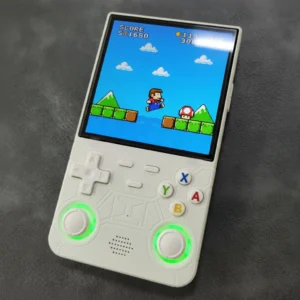
4-inch Handhelds, Handheld Game Console
Amazon price: $69.99 as of Oct 27 · updated daily
Check Price → -

Compact Handhelds, Handheld Game Console
Amazon price: $32.89 as of Oct 27 · updated daily
Check Price →
Is there an official firmware update for the R36S or R36 Ultra?
We found no manufacturer update channel in any community reference. Genuine R36S units normally boot a stock card with an EASYROMS partition and an “ArkOS 2.0” loading message, according to the handhelds.wiki clone checks. The same wiki lists the R36 Ultra as an EmuELEC/K36-style device.
For EmuELEC clones, the wiki’s own download section labels the modified EmuELEC and K36 stock images as outdated, not recommended and “for archival purposes only”. It also warns that stock cards tend to corrupt quickly.
The R36 Ultra is different in one useful way. Its stock system sits on built-in eMMC storage, according to Retro Handhelds’ review and a teardown write-up by sim1222. Custom firmware runs from a separate microSD card, so removing that card puts you back on the stock system.
Which update method does each R36S firmware use?
What each project’s release notes, README or wiki say as of October 2026:
| Firmware | Status | In-menu update | When you must reflash | Source |
|---|---|---|---|---|
| Stock EmuELEC (clones, R36 Ultra) | No maintained release found | None documented | Not applicable; custom firmware goes on its own card | handhelds.wiki R36S Clones; Retro Handhelds |
| ArkOS (christianhaitian) | Archived December 30, 2025 | The wiki describes Options, then Update, over Wi-Fi; no new updates expected | To move to a maintained successor | ArkOS GitHub wiki |
| ArkOS-R3XS (community R36S image) | Archived June 9, 2026 | Its changelog’s last entry is v2.0 (11/07/2025) | To move to ArkOS4Clone or dArkOSRE-R36 | ArkOS-R3XS README; R3XS changelog |
| ArkOS4Clone | Active; latest release 20261008 | EmulationStation menu, arkos4clone settings, Update (from 20261005); a Local update option for offline use | Any version before 20260930 | ArkOS4Clone releases; arkos4clone-updates README |
| dArkOS4Clone | Active; its developer warns it has had little testing | The 20260927 changelog says it does not support OTA updates yet | Not confirmed for later releases | ArkOS4Clone changelog |
| dArkOSRE-R36 | Active; latest release 03082026 | Release notes say it replaced the dArkOS OTA update with its own | The wiki’s upgrade guide reflashes the OS card for new versions | dArkOSRE-R36 releases and wiki |
| ROCKNIX | Active; RK3326 release 20261001 | Start, System Settings, System Update, Start Update | Not required for normal updates | ROCKNIX docs and releases |
Update paths for R36S-family firmware, as documented by each project (menu names and versions can change with each release)
How do I back up saves and BIOS before updating?
Back up even before an in-menu update. A full reflash wipes everything, and the dArkOSRE upgrade guide says plainly that flashing the firmware card will erase its content.
- Shut down from the menu, then take the card out.
- Copy the whole EASYROMS partition to your computer. The dArkOS wiki says in-game saves and save states sit in the matching rom folders, so a full copy catches them. BIOS files live in folders such as
/roms/bios, which ROCKNIX lists as its BIOS path. - Image the entire card with a disk-imaging tool if it’s your stock card. Our SD card guide covers backups and replacement cards.
- Keep the original .dtb files. The dArkOSRE README asks for the original SD card .dtb files and boot.ini to support new boards, and the panel tools work from them.
- Keep games on a second card if your device has two slots. The dArkOSRE guide calls this the recommended setup and says the ROMs card isn’t touched during an upgrade.
Only keep games and BIOS files you legally own; our guide to adding games covers the folders.
How do I update ArkOS on the R36S now that it’s archived?
You don’t update it any further. The christianhaitian/arkos wiki states that dArkOS has replaced ArkOS and the repository is kept for historical purposes only. The ArkOS-R3XS README carries the same notice.
That README points R36S owners to two successors: ArkOS4Clone “for updated ArkOS” and dArkOSRE-R36 for dArkOS built for the R36S and its clones. Moving to either one is a fresh flash, not an update, so back up first.
An archived ArkOS card keeps working; it just won’t get fixes.
How do I update ArkOS4Clone?
It depends on your current version, according to the arkos4clone-updates README:
- Before 20260930: reflash. The 20260930 release notes say it expanded the BOOT partition, so OTA upgrades from older versions aren’t supported.
- On 20260930 or 20261004: copy
Update.shfrom the repository’sdevicefolder to/roms/ports, then launch it from Ports. It downloads the latest update, applies it and reboots. - On 20261005 or later: open the EmulationStation menu, then arkos4clone settings, then Update. A device several releases behind catches up in one run.
- No internet: copy the update script to
/roms/update/and the dated volumes to a matching subfolder, then use Local update in the same menu.
The R36S has no built-in Wi-Fi, so online updates need a supported adapter or the offline method. The R36 Ultra has built-in 2.4 GHz Wi-Fi, according to Notebookcheck. Our Wi-Fi and PortMaster guide covers getting online. R36 Ultra owners can follow our R36 Ultra ArkOS install guide for a first install.
How do I update dArkOS on the R36S (dArkOSRE-R36)?
The official dArkOS release v08272026 lists images for devices such as the RG351MP, G350 and RGB10, but none named for the R36S or R36 Ultra. For R36-family boards, the maintained dArkOS build is southoz’s dArkOSRE-R36.
Its 03082026 release notes say it replaced the dArkOS OTA update with a dArkOSRE one. The dArkOS wiki describes online updates as Options, then Update, but we couldn’t confirm that dArkOSRE uses the same menu path. Newer builds appear first on the wiki’s Beta Testing page, including a 04262026 beta that adds R36 Ultra support.
The wiki’s upgrade guide describes a reflash:
- Shut down, remove the OS card and, if your games share it, copy the EASYROMS contents to your computer.
- Download the new release, extract it with 7-Zip and check the SHA1 hash against the release page.
- Flash the image to the OS card. The installation guide lists USB Image Tool, Raspberry Pi Imager and Rufus, and says to avoid Balena Etcher.
- Reapply your board’s DTB files. The installation guide uses the SELECT MODEL tool on the BOOT partition, and Panel 9 G80CA boards need the Panel 9 files again.
- Restore your games if needed, insert the card and allow 1 to 2 minutes for the first boot.
The sources disagree here: the upgrade guide lists Balena Etcher, while the installation guide and the dArkOS wiki warn against it. We’d follow the installation guide.
How do I update ROCKNIX on an R36S?
ROCKNIX documents two routes. With internet access, press Start, open System Settings and choose Start Update under System Update. Without it, download your platform’s .tar update file, copy it to /storage/.update or the “update” Samba share, and reboot.
The 20261001 release lists RK3326 “a” and “b” install images plus one RK3326 .tar update file. For EmuELEC clones such as the K36 and R36 Max, ROCKNIX calls support experimental and asks for the B image and nightly 20251110 or newer.
Which update or image is right for my clone or panel?
Firmware is built for boards and panels, not box names. The handhelds.wiki says flashing standard ArkOS onto an EmuELEC clone causes a red blinking light at boot, and the fix is a clone-specific firmware.
- Find your board and panel first with our guide to which R36S panel you have.
- Match the board to a firmware using the R36S clone types list. The dArkOSRE README, for example, lists the R36 Ultra’s GR36S-MB V1.4 board as beta.
- Pick the same device entry again after every reflash, in ArkOS4Clone’s
dtb_selectoror dArkOSRE’s SELECT MODEL tool.
Never flash an image onto a device its project doesn’t list. ROCKNIX warns that flashing to eMMC can brick a device, and that recovery may mean opening the case to short pads on the board.
What if my R36S won’t boot or gets stuck after an update?
Start with the least invasive fix.
- First boot looks frozen. Give it time. The ArkOS-R3XS README says first setup can take up to 10 minutes, and ROCKNIX says EE clones reboot several times over about 5 minutes.
- Stuck extracting roms.tar. ArkOS4Clone’s 20261004 release lets
dtb_selectskip extracting Ports dependencies for weaker cards, and 20261008 fixes cards stuck at this step. - Online update failed. ArkOS4Clone shows one error box and keeps a log at
/home/ark/esupdate.log, according to the update README. - Hangs after you resized the card. The dArkOS wiki warns not to expand the EASYROMS partition by hand before first boot, because it causes a hang.
- Black screen with a blue LED. On EmuELEC clones, the handhelds.wiki suggests moving the card from the right OS slot to the left TF2 slot.
- Wrong panel after an R3XS update. The README says to hold R1 plus a D-pad direction or A while powering on to pick panels 0 to 4.
- Still dead. Reflash to a known-good card and restore your backup. On the R36 Ultra, removing the custom card boots the stock system.
The projects also disagree about charging. dArkOSRE and ROCKNIX say to keep the charger unplugged during first boot, while the ArkOS4Clone wiki says to connect it before powering on. Follow the guide for the firmware you’re installing. Our R36 Ultra troubleshooting guide covers other faults.
Sources
- ArkOS wiki (christianhaitian, archived repository)
- ArkOS-R3XS README (AeolusUX, archived)
- ArkOS-R3XS changelog
- ArkOS4Clone releases
- arkos4clone-updates README (OTA update system)
- ArkOS4Clone wiki
- ArkOS4Clone changelog
- dArkOSRE-R36 README (southoz)
- dArkOSRE-R36 releases
- dArkOSRE Firmware Upgrade Guide
- dArkOSRE-R36 Beta Testing wiki
- dArkOSRE Firmware Installation guide
- dArkOS wiki (christianhaitian)
- dArkOS releases
- ROCKNIX: Updating ROCKNIX
- ROCKNIX: K36, R36Max/Pro and other EE clones
- ROCKNIX: Game Console R35S/R36S
- ROCKNIX distribution releases
- Handhelds Wiki: R36S Clones
- Handhelds Wiki: R36S Overview
- Retro Handhelds: R36 Ultra review
- sim1222: Installing Linux on the R36 Ultra (Japanese)
- Notebookcheck: R36 Ultra announcement
Frequently asked questions
Is there an official firmware update for the R36S?
No source we found documents a manufacturer update. The handhelds.wiki lists old EmuELEC clone images for archival purposes only, so owners update by moving to a maintained custom firmware such as ArkOS4Clone, dArkOSRE-R36 or ROCKNIX.
Can I still update ArkOS on my R36S?
Not with new releases. The ArkOS repository was archived on December 30, 2025, and ArkOS-R3XS on June 9, 2026. Both point to ArkOS4Clone and dArkOSRE-R36, which need a fresh flash. See our custom firmware guide.
Will a firmware update delete my games and saves?
In-menu updates in ArkOS4Clone and ROCKNIX install on top of your system, but a reflash erases the card. Copy the whole EASYROMS partition first, since dArkOS keeps saves inside the rom folders.
Can I update the R36S without Wi-Fi?
Yes. ArkOS4Clone has a Local update option that reads files from /roms/update/, and ROCKNIX installs a .tar file copied to its update folder on reboot. dArkOSRE-R36 upgrades are a reflash on a computer.
My R36S is stuck after an update. What should I do?
Wait first, since first boots can take up to 10 minutes. If it stays stuck, reflash the image to a good-quality card and restore your backup. Check your board with our panel guide before choosing an image.
How do I update dArkOS on the R36 Ultra?
Official dArkOS releases have no R36 Ultra image. dArkOSRE-R36 lists the Ultra’s board as beta, and ArkOS4Clone, which has an R36 Ultra entry, updates from its EmulationStation menu. See our R36 Ultra ArkOS guide.
Our pick: the R36S
Check Price on Amazon →Opens in a new tab · As an Amazon Associate we earn from qualifying purchasesNew R36 guides and releases
Occasional emails when a model is worth your money. No spam.